

Highlights

Slides and Negatives. Digitized.

Connector
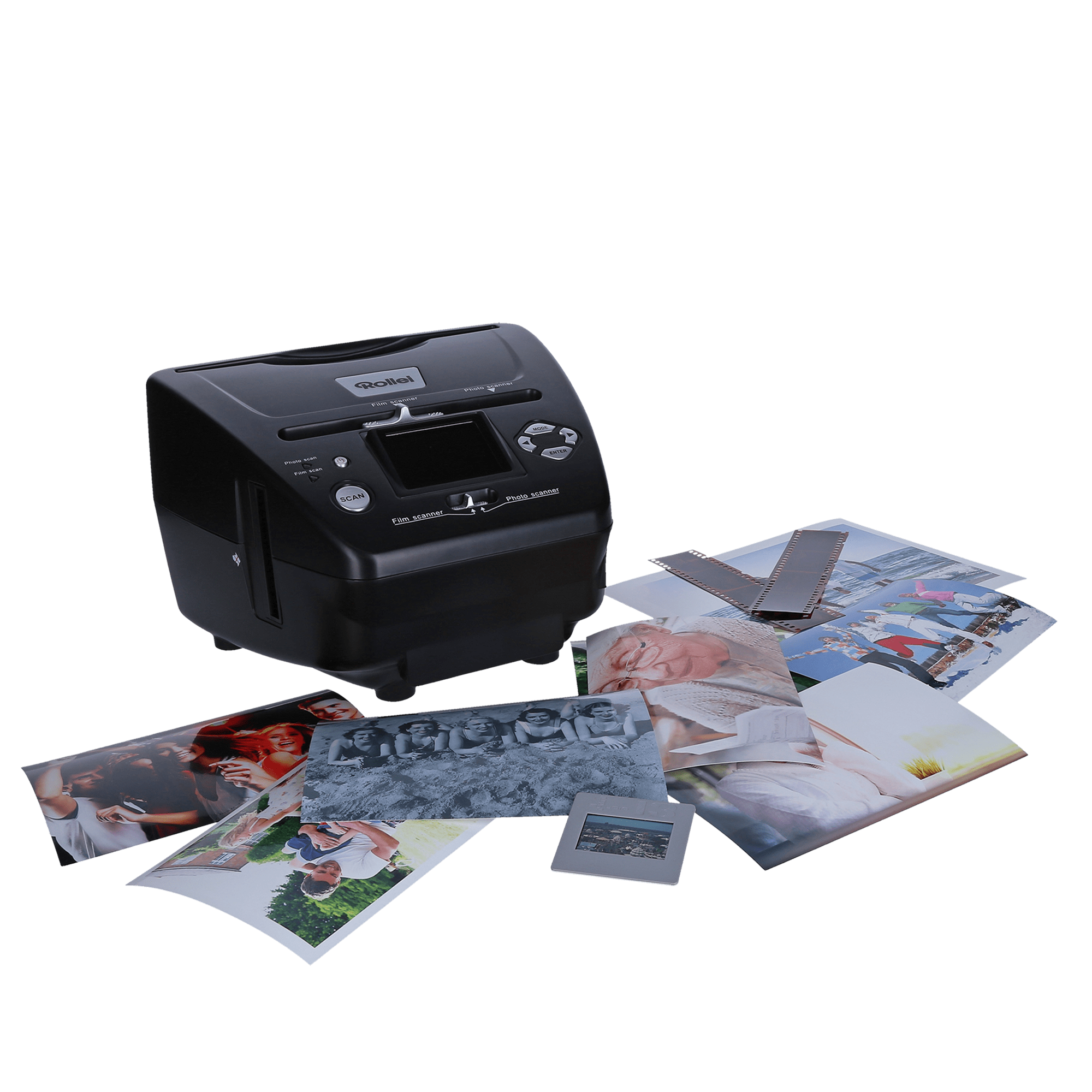
Scanner | Slides, Negatives & Photos | PDF-S 240 SE
8.1 Megapixel Multi-Scanner for Slides, Negatives (24x36 each), Photos
Photo sizes: 9x13 cm, 10x15 cm and 13x18 cm
Easy handling and scans in seconds
Scan Pictures Without a Computer
2-in-1 memory card slot (SD/SDHC/MMC)
Highlights
Slides and Negatives. Digitized.
Connector
Frequently bought together
Drops & Deals. Zuerst auf WhatsApp. Kanal kostenlos beitreten →
Delivery within 2-3 business days
Free shipping from €100 ¹
14 days free returns²
2-year replacement warranty³
Scanner | Slides, Negatives & Photos | PDF-S 240 SE
If you have any questions, you are always welcome to contact us. We'll get back to you as soon as possible, within 24 hours on weekdays.
-
Shipping Information
Use this text to answer questions in as much detail as possible for your customers.
-
Customer Support
Use this text to answer questions in as much detail as possible for your customers.
-
FAQs
Use this text to answer questions in as much detail as possible for your customers.
-
Contact Us
Use this text to answer questions in as much detail as possible for your customers.
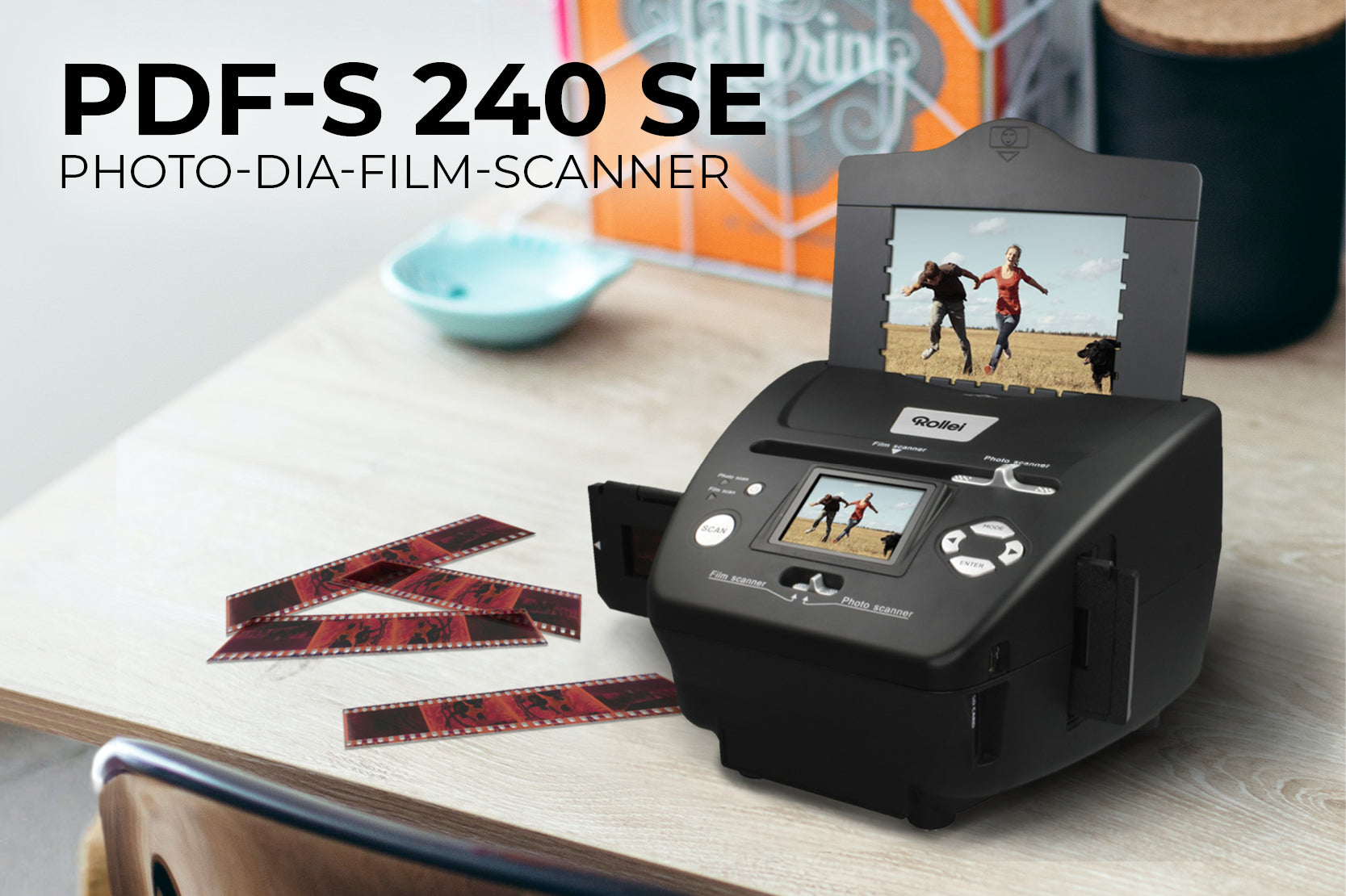
Photo, Film and Slide Scanner PDF-S 240 SE
Slides, negatives and even photos are gradually losing their importance in the age of the Internet and digital photography. But many of these treasures still exist in magazines, folders, shoeboxes and cigar boxes in private households and have a particularly high emotional value. It is particularly sad when these collected memories gradually fade and fall victim to the ravages of time.

Digitized, restored, preserved
It's wonderful when you can digitize these very mementos, which is very easy with the Rollei PDF-S 240 SE multi-scanner. Digitize your photos effortlessly and make them accessible for optimization using modern image editing programs.
Simply try out the possibilities that the included software offers you when you scan photos from long ago and process them with modern tools. You can make cracks, scratches and blemishes disappear. The optimization of brightness and contrast reveals details that you may not have noticed on the original.
The high resolution of the PDF-S 240 SE of 1800 dpi, even interpolated up to 2400 dpi, also allows you to expose the scanned data in significantly larger formats than the often very small historical originals. Scan your family tree large enough for today's picture frames or share the pictures with relatives and friends online.

Multi-scanner for photos and films
With the Rollei PDF-S 240 SE you get a multifunctional scanner that can be switched with a simple flick of a switch between reflective mode – for photos up to 13 x 18 cm – and transmissive mode – i.e. negatives as well as framed slides and slide film strips. This means you are well equipped for digitizing your entire analog archive. The exposure is automatic, but can be individually adjusted if required.
Pure white LEDs ensure true-color reproduction in both reflective and transmissive operation. Connecting the Rollei PDF-S 240 SE photo and slide film scanner to a computer is not absolutely necessary for your scans. Simply check the results on the integrated 2.4-inch TFT color display and save the scanned data on your SD, SDHC or MMC card, for which the device offers a slot.
Product videos
Video: PDF-S 240 SE Foto- und Diascanner
Technical Data
| Light source | 7x 2 white LEDs | Backlight (3 white LEDs) |
| Scan method | Single-pass |
| Color depth | 24-bit |
| Scan quality | 1,800 dpi |
| Color balance | Automatic |
| Exposure control | Automatic and manual exposure setting |
| Memory card slot | Memory card slot (SD/SDHC/MMC) |
| Resolution | 1800 dpi: Photo: 2592x1728 (10x15 cm and 9x13 cm), 2592x1850 (13x18 cm) | Slide/Negative: 2760x1840 |
| 2400 dpi | Photo: 3648x2432 (10x15 cm and 9x13 cm), 3648x2604 (13x18 cm/interpolated) | Slide/Negative: 3900x2600 (interpolated) |
| LCD display | 2.4" (Color TFT LCD) |
| Power supply | Mains connection with USB adapter |
| Connections | USB-C |
| Focus range | Fixed focus |
| Dimensions | 208 x 220 x 147 mm |
| Weight | 890 g |
Compatibility
Scope of delivery
Downloads
All available downloads for this product can be found in our download center.
There you will find operating instructions (BDA), firmware updates, software, drivers and other product-related files.
👉 To the download center:
https://downloads.rollei.de
Please simply select your product there to access all current files.
Special Notes
GPSR, Regulation (EU) 2023/988)
Everything you need to know.
Answers at a glance.
Here you can find the most common questions about Scanner | Slides, Negatives & Photos | PDF-S 240 SE. If anything remains unclear, our support team will be happy to help you.
Can I scan without a computer?
How do you connect the scanner to a computer?
Echte Erfahrungen. Tausende zufriedene Kunden.
Was unsere Kunden sagen.
Verified Buyers
Verified reviews only
Transparent Opinions
Honest and Independent
Help with purchase decision
From customers for customers
Relativ einfach zu bedienen.
Warum der USB-Anschluss vorne rechts am Gerät sein muss erschließt sich mir nicht. Dort ist er absolut im Weg und stört.
Das Einführen des Diahalters ist etwas hakelig.
Das Gehäuse ist auf Grund der Designer-Form nicht gerade handlich zu mal der Kunststoff so glatt ist, dass einem das Gerät leicht aus der Hand gleiten kann.
-> 'Function follows design' ist nicht immer sinnvoll
Ansonsten bleibt abzuwarten wie das Gerät nach Jahren noch funktioniert.
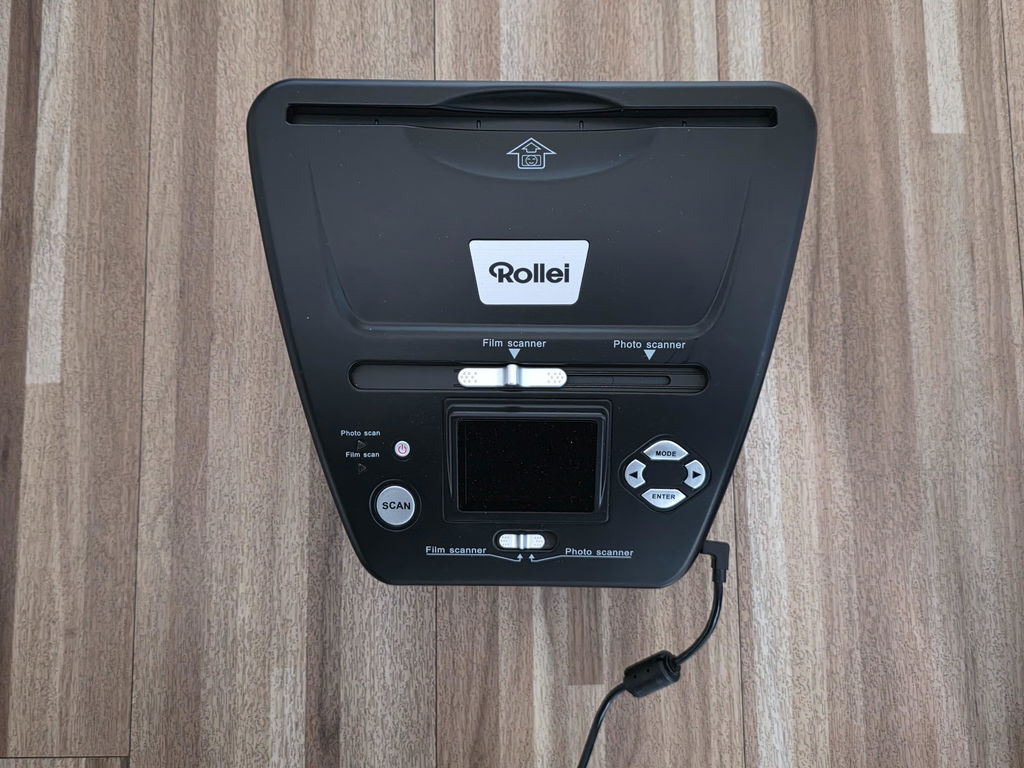
Hält was er verspricht
Problemlose Bearbeitung
Einfache Erklärung und alle Schritte verständlich.
Einzig das öffnen der Halterung für die Diastreifen ist etwas schwierig oder noch neu und nicht leichtgängig.
Grundsätzlich kann ich das Teil nur weiter empfehlen.
Bestellung Lieferung alles ok
Da sich die Erstbestellung mit meinem Mac nicht „anfreunden“ konnte musste ich ihre Support-Abteilung kontaktieren. Freundlich und rasch kamen die Antworten. Letztendlich mussten wir beide kapitulieren. Ich nahm die ausgesprochene Empfehlung für ein anderes Produkt an. Der Rückversand (kostenfrei und mit ausdruckbaren Adresszettel) funktionierte ebenso wie die Rücküberweisung des bezahlten Betrages. Auch das neue Gerät kam innerhalb von drei Tagen aus Deutschland bei mir an. In der Zwischenzeit habe ich bereits mehr als 200 Dias und Negative erfolgreich gescannt.
Vielen Dank und liebe Grüße,
Gerhard Leeb
Ko
ok
Die gute Aufklärung nach meinen Fragen, immer freundlich!
schnelle Lieferung
Ja
die gute Info der Bedienungsanleitung,
die leichte Bedienung des Geräts.
Einfache Bedienung! Leicht zu verstehen nd gut beschrieben.
Anregung: Bilderformate aus uralten Zeiten sind leider nicht in der Schablone. Schade. Wir haben aber einen Trick gefunden, ohne das ein Bild im Scanner "verschwindet".
Schnelle Lieferung, einfache Bedienung
Ich bin mit diesem Scanner, für meine Zwecke, sehr zufrieden.
Einschübe manchmal etwas hakelig, sonst alles bestens.
Ganz Okay aber die 16 gb Beschränkung nervt. Versand Top.
Zur Digitalisierung von kleineren Mengen an Vorlagen gut geeignet. Durchführung einfach. Ergebnis akzeptabel.
Bei Hochglanzfotos ist teilweise die Kamera auf dem digitalisierten Bild zu erkennen. Dias werden gut wiedergegeben.
Nach allerlei hin und her habe ich den Scanner zurückgegeben, weil die Scan-Qualität (für Dias) mehr als mangelhaft war. Das Team von Rollei war sehr freundlich und verständnisvoll, und ich bedanke mich sehr für den tollen und zuvorkommenden Service. Gerne kaufe ich wieder hier ein.
Spitzenprodukt
Gut zu bedienen
Über das Leichtgewicht beim Auspacken waren wir schon etwas überrascht. Die Verarbeitungsqualität des Scanners deutet zunächst nicht darauf hin, dass das Gerät lange "überlebt".
Aber der erste Eindruck täuscht. Wir stellten fest, dass der Scanner, so wie er ist, seinen Dienst ohne zu Murren verrichtet. Ich hoffe er arbeitet die nächsten 1000 Dias weiterhin so gut wie er dies bei den ersten 300 Dias gemacht hat.
Über das Leichtgewicht beim Auspacken waren wir schon etwas überrascht. Die Verarbeitungsqualität des Scanners deutet zunächst nicht darauf hin, dass das Gerät lange "überlebt".
Aber der erste Eindruck täuscht. Wir stellten fest, dass der Scanner, so wie er ist, seinen Dienst ohne zu Murren verrichtet.
Für den Hausgebrauch ist die Qualität der eingescannten Dias (ca. 50 Jahre alt) wirklich völlig ok. Auf jeden Fall preiswerter, als einen professionellen Scanservice zu beauftragen. Nach relativ kurzer Einarbeitungszeit (Bedienungsanleitung lesen!) klappte das Einscannen der Dias sehr gut. Ca. 1.400 Dias mussten eingescannt werden. Wir benötigten zu Beginn für 100 Dias ca. 30 Minuten und steigerten uns auf 250 Dias in 40 Minuten. Jeweils inkl. Abstauben und Einlegen in den Rahmen. Das Gerät kann natürlich nicht "zaubern". Wenn das Dia-Original schon kaum erkennbar ist und/oder die Farben verblichen sind, kann man natürlich keine Wunder erwarten. Wir haben die Auflösung bei 8MP belassen. Beim Einlegen der Dias darauf achten, dass diese "auf den Kopf" in den Rahmen eingelegt werden. Fotos und Negative haben wir nicht gescannt, daher können wir nichts über die Qualität sagen. Wir hatten übrigens nur eine 64GB SanDisk Ultra MicroSD XC1 (10) inkl. SD-Adapter hier herumliegen, haben diese mit FAT32 formatiert und vor dem Einschalten des Scanners einfach mal eingelegt. Die Karte wurde erkannt und das Scannen klappte einwandfrei. Ob das mit anderen 64GB-SD-Karten funktioniert, müsst ihr ausprobieren. Im Großen und Ganzen sind wir zufrieden mit dem Scanner. Wir haben am PC einen SD-KArtenslot, daher können wir den Anschluss per USB nicht beurteilen. Jetzt geht es an die Nachbearbeitung der Scans am PC.
Allerdings nicht mit der Bildbearbeitungssoftware von der beigefügten CD, da wir nichts von der CD installiert haben. War uns etwas zu heikel, da die Software von 2010 ist. Muss ja nichts heißen, aber jedes andere, kostenlose Bildbearbeitungsprogramm, welches bei Chip etc. angeboten und regelmäßig aktualisiert wird, tut es auch. Einfach ausprobieren. Wir nutzen seit jeher IrfanView.
Vielen Dank für die ausführliche Bewertung zum Diascanner.
Wir freuen uns sehr, dass Sie zufrieden sind und wünschen Ihnen weiterhin viel Freude mit dem Gerät!
Gerät ist einfach in der Handhabung, nur leider schade das keine SD - Karte mit dabei ist. Beim Scannen von Foto`s ist dann immer ein kleiner Lichtschein auf dem Bild, bei Dia`s nicht.
Macht Spaß mit dem Gerät zu arbeiten. (Preis/Leistung stimmt)
Einfach in der Handhabung und macht Spaß. Bedauerlich, dass keine Karte mitgeliefert wurde. Man bekommt bei dm bspw. nur 32Gb oder höher, darf aber nur eine Karte mit höchstens 16Gb einlegen. Ich habe nun die Karte einer alten Kamera verwendet.
Der Diascanner lässt sich einfach bedienen. Die Ergebnisse sind bei allen Scan gut. Die mitgelieferte Software ist gewöhnungs bedürftig
Das Produkt funktioniert wie erwartet. Einfach zu bedienen. Für den Zweck Fotos und Negative einzuscannen und zu digitalisieren reicht mir persönlich die Auflösung vollkommen aus.
Das bestellte Produkt funktioniert wie erwartet. Einfach zu bedienen. Füt den Zweck Dias und Fotos einzuscannen und zu digitalisieren reicht mir persönlich die Auflösung vollkommen aus.
PDF-S 240 SE Foto- und Diascanner